Zayit The study library that goes straight to the text
Free. Clear. Efficient.
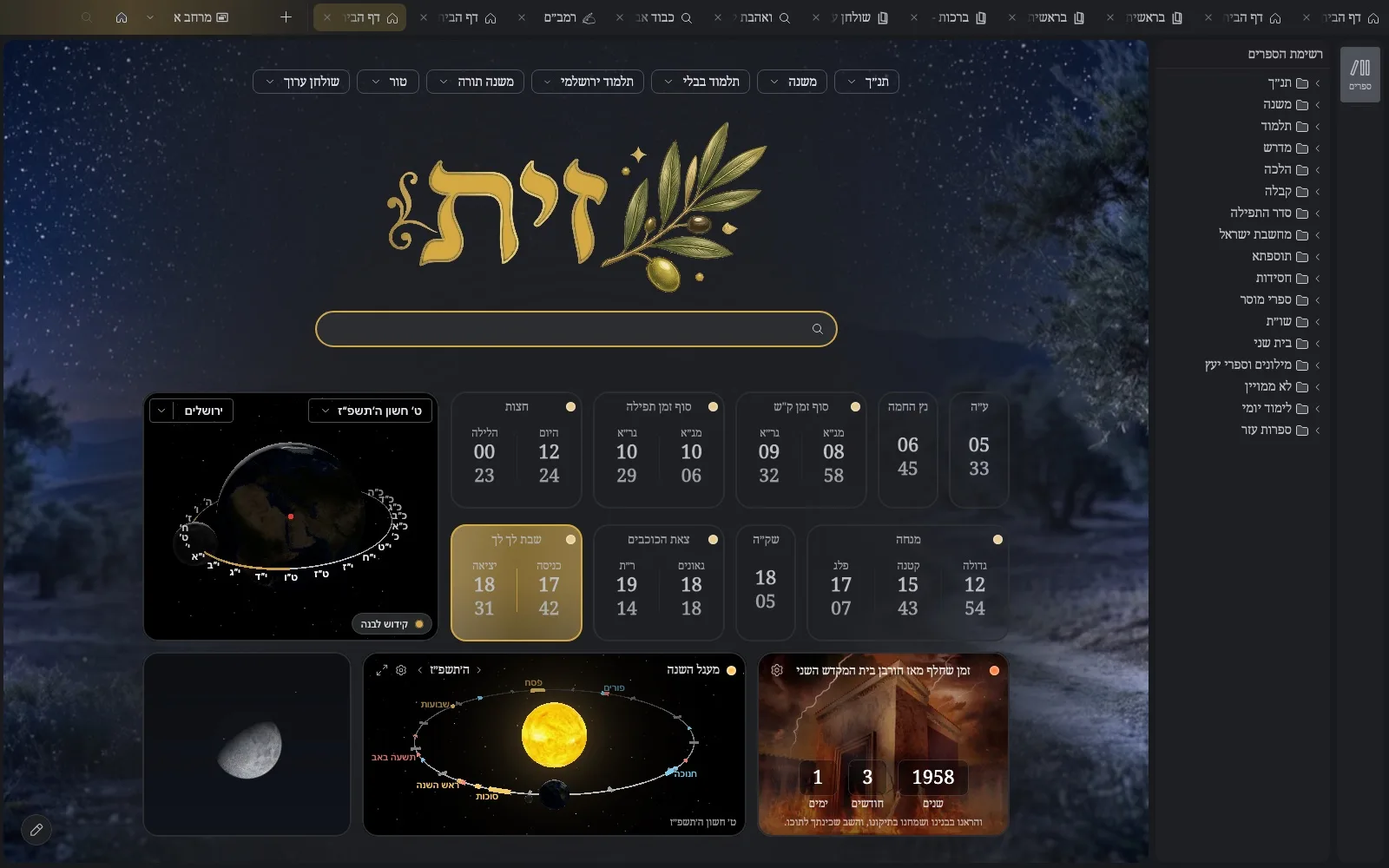
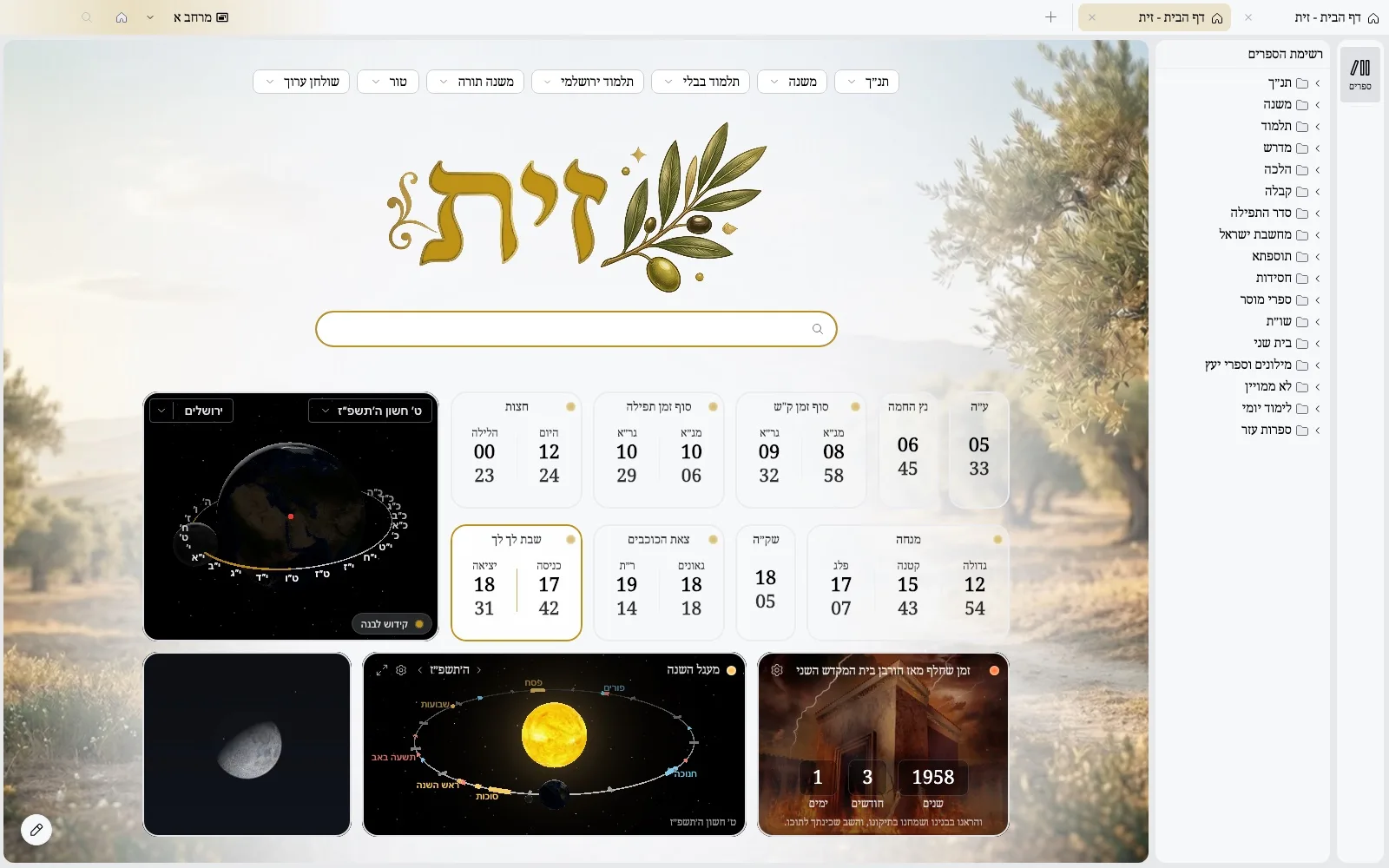 LightDark
See Zayit in action
Zayit is a dream turned useful: a natural, fluid, almost obvious study experience. The project will remain free by principle. Support is welcome and meaningful. It is designed to stay non-commercial. With God's help, Zayit will keep growing without losing its spirit.
Zayit is designed like a digital study hall: stable, fast, consistent. You feel the calm of study: everything works, everything is in its place. The text stays at the center, with respect and without distractions.
A pro and natural interface
Built on JetBrains technologies, including Compose Desktop and Jewel. Inspired by Google Chrome and IntelliJ IDEA, it offers a professional interface that is fluid and natural, respects study, and does not strain the eyes.
You already know how to use it. No learning curve.
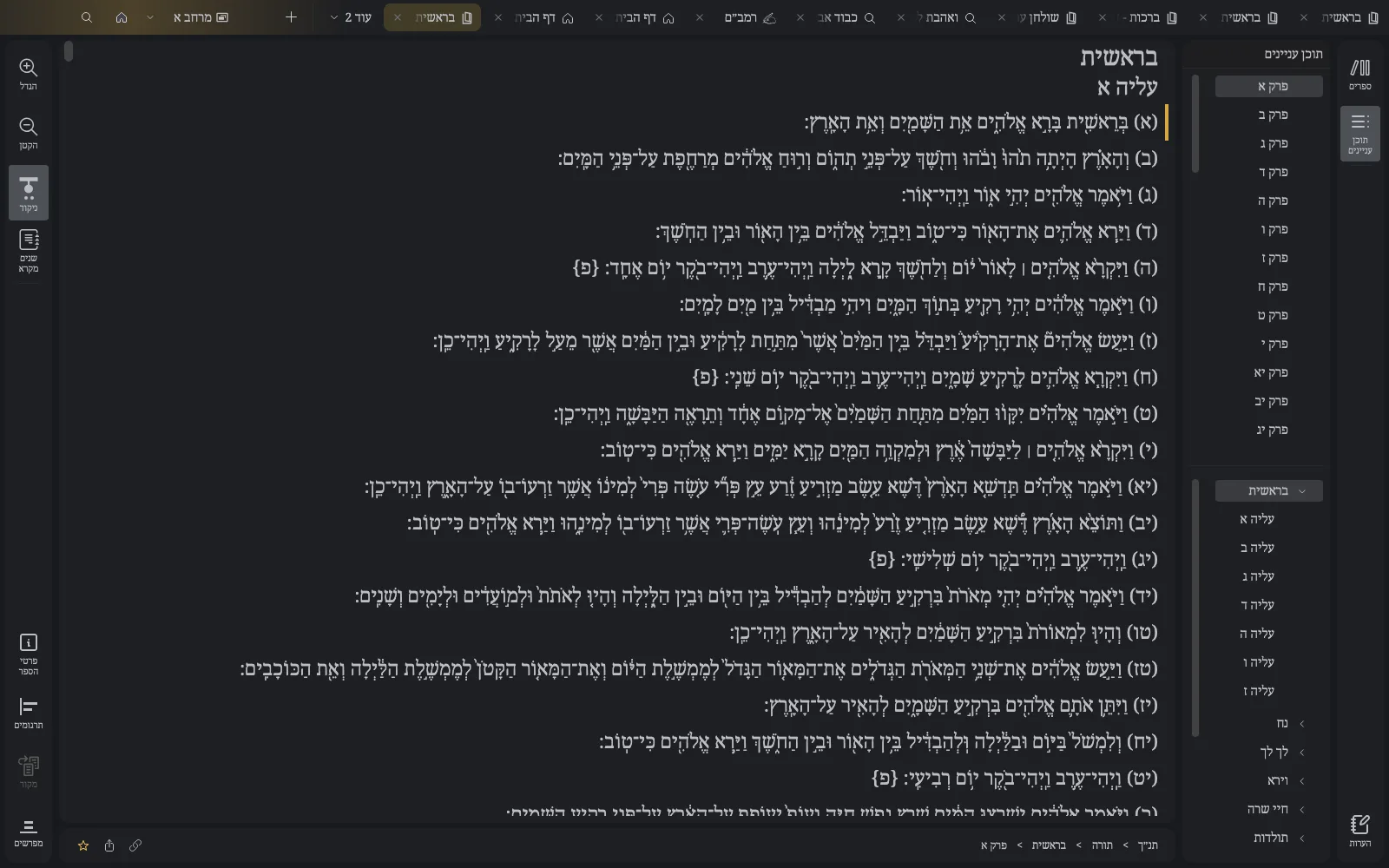
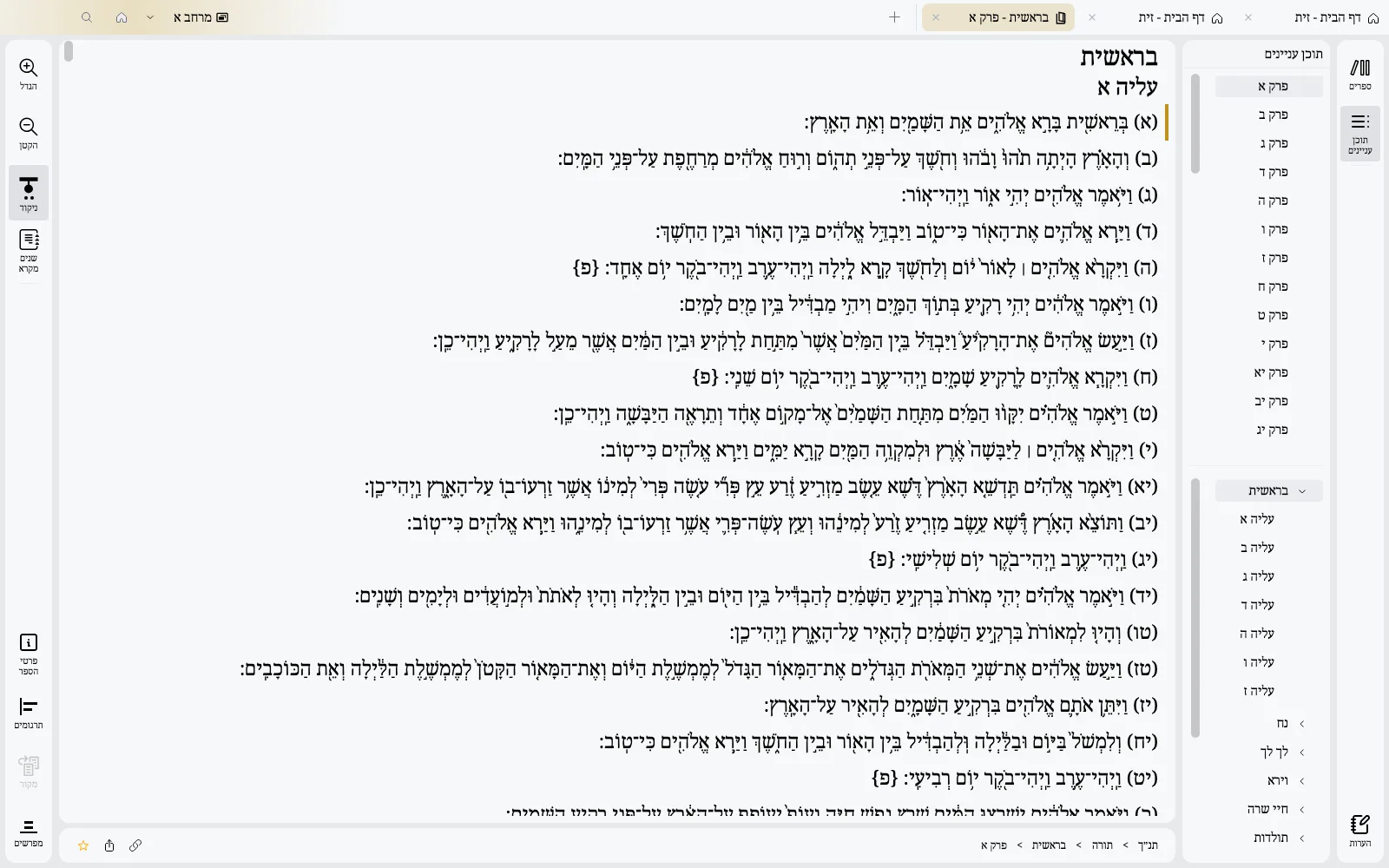
Find your way in the library
Library tree, table of contents with its own search, and a clickable book path, like IntelliJ's navigation bar
 LightDark
Modular panels
The layout adapts instantly: organize the screen the way you want. Show, hide, compare, and tailor reading to your study style.
Pick your commentators and read them side by side, page after page
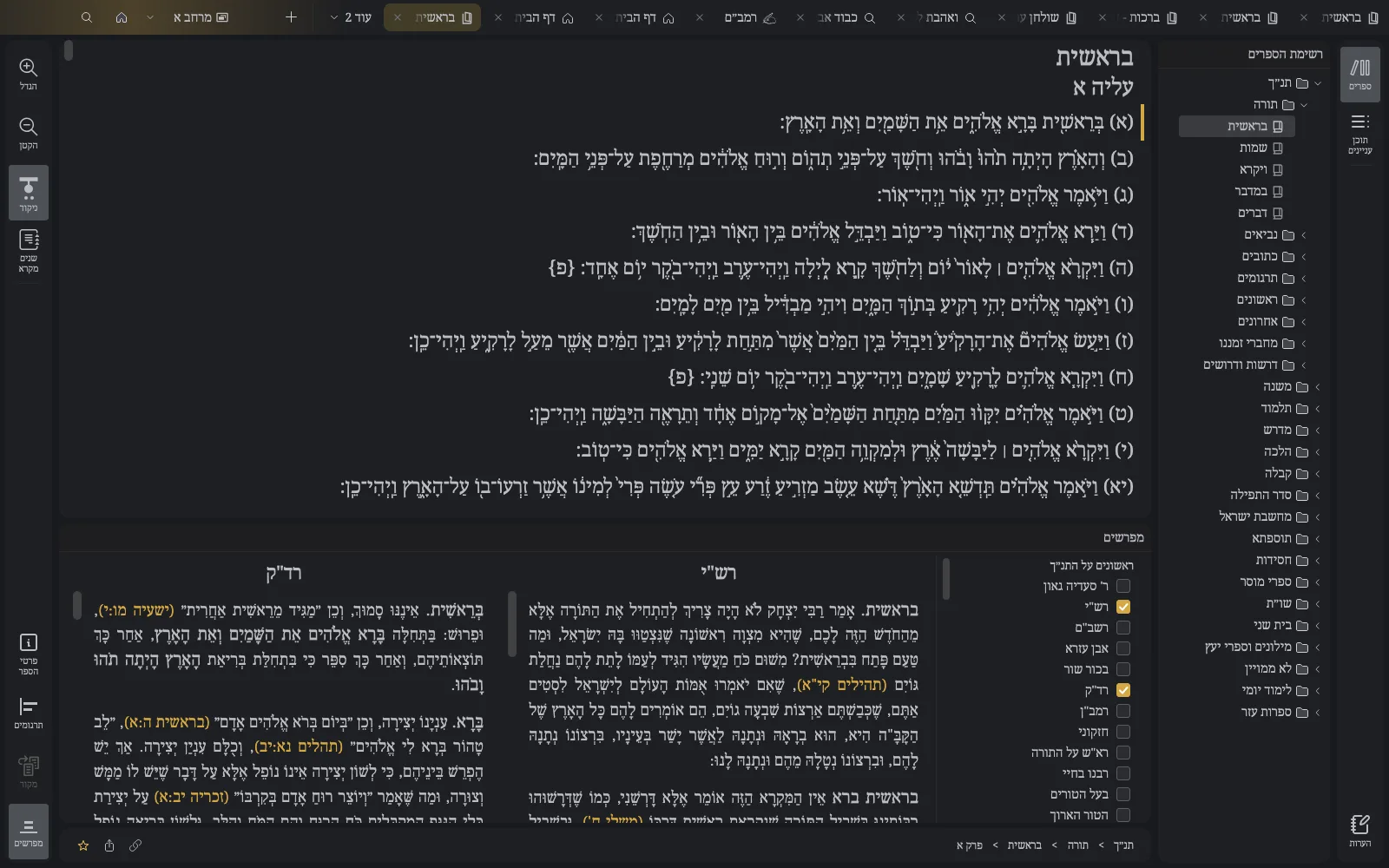
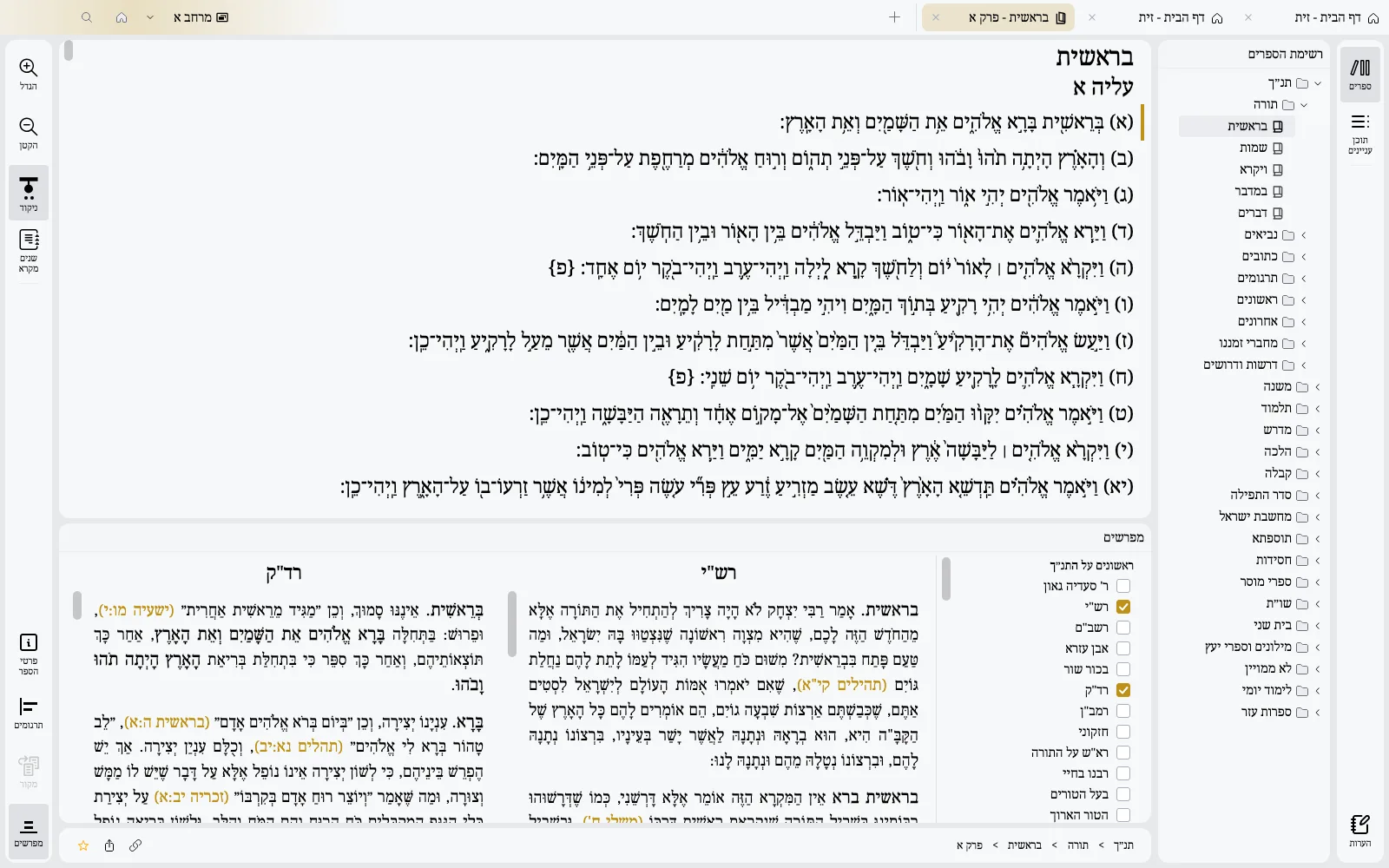 LightDark
Targumim and commentaries together, around the text
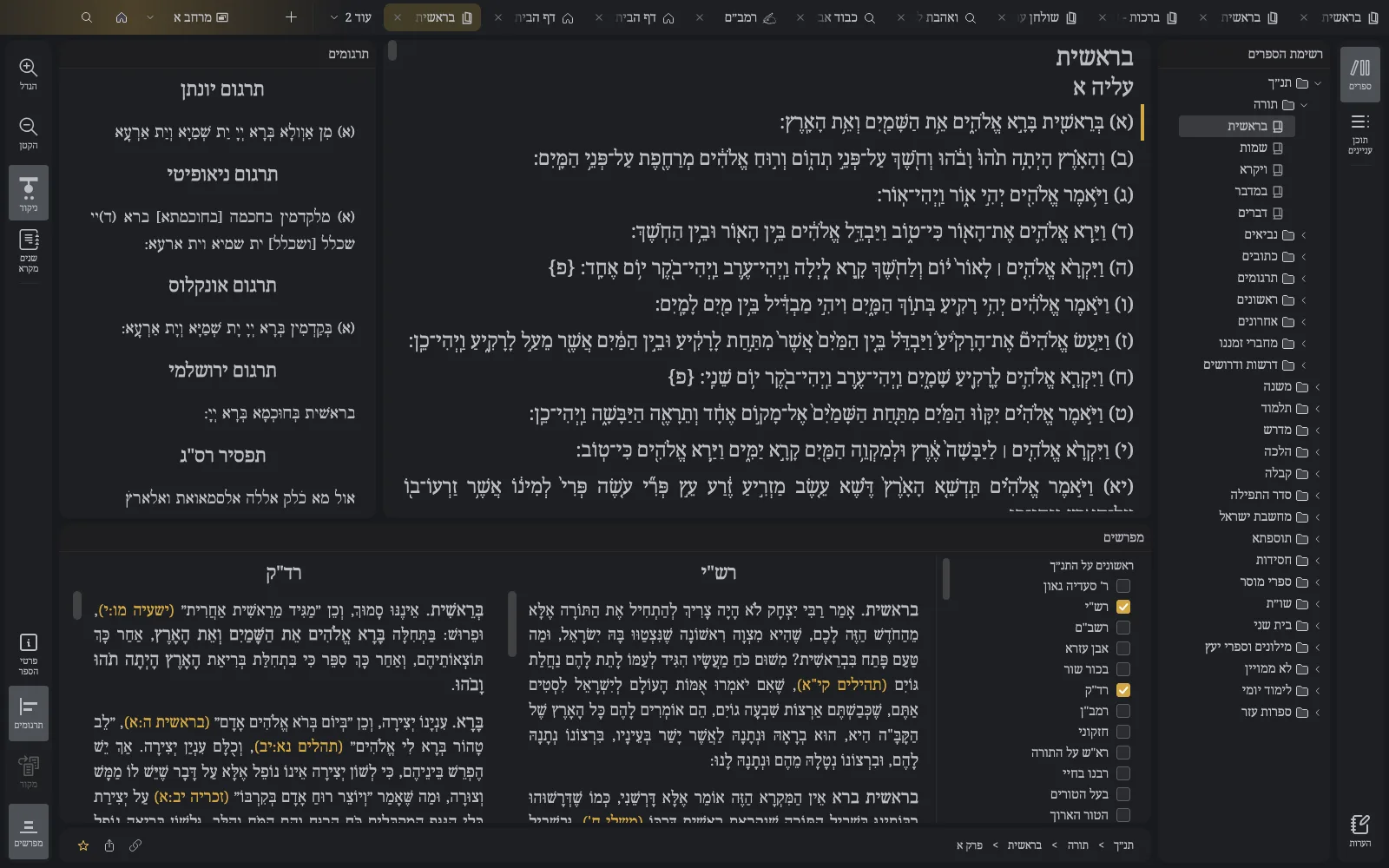
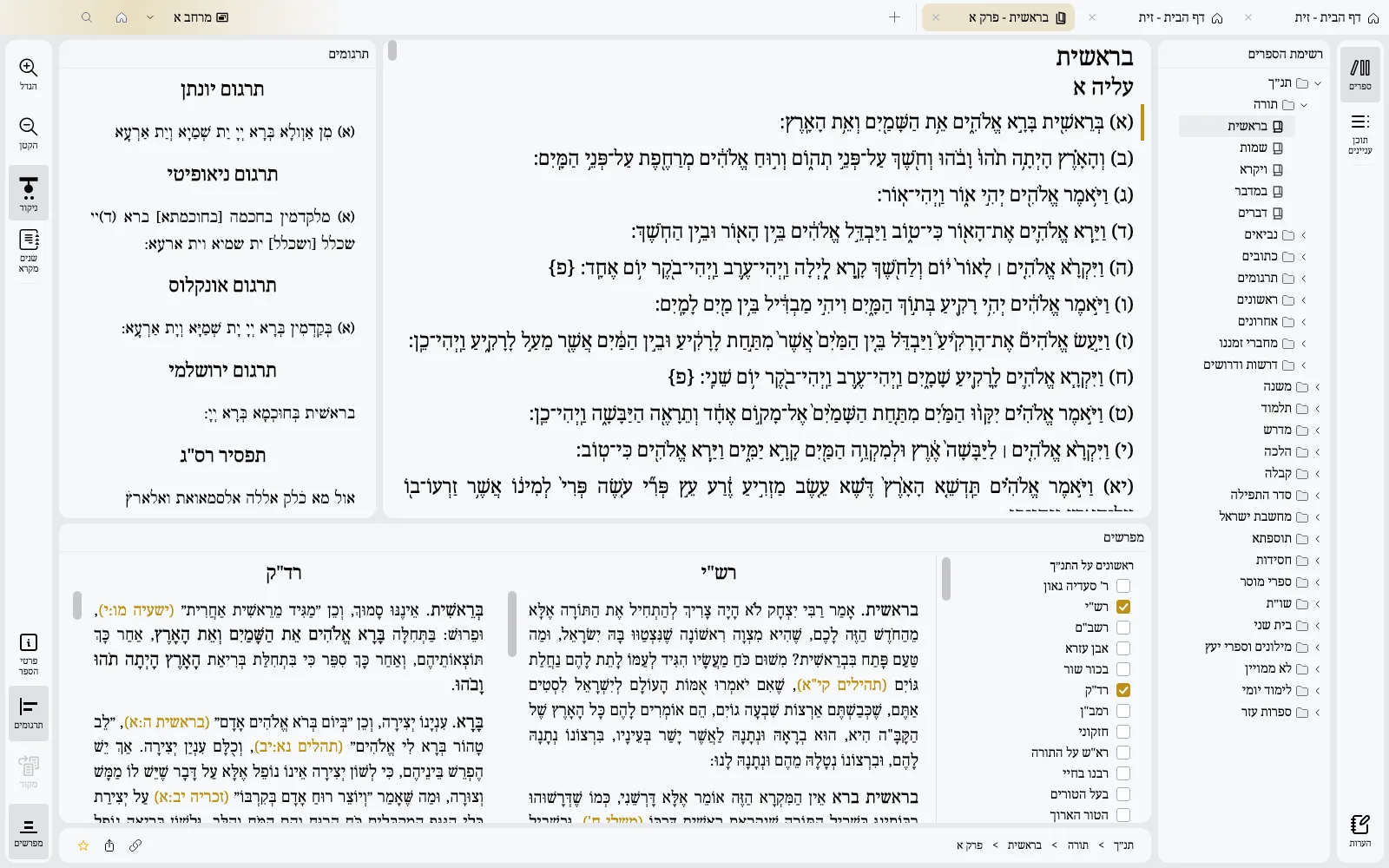 LightDark
Rashi and Tosafot beside the daf, and every verse quoted in the Gemara one click away
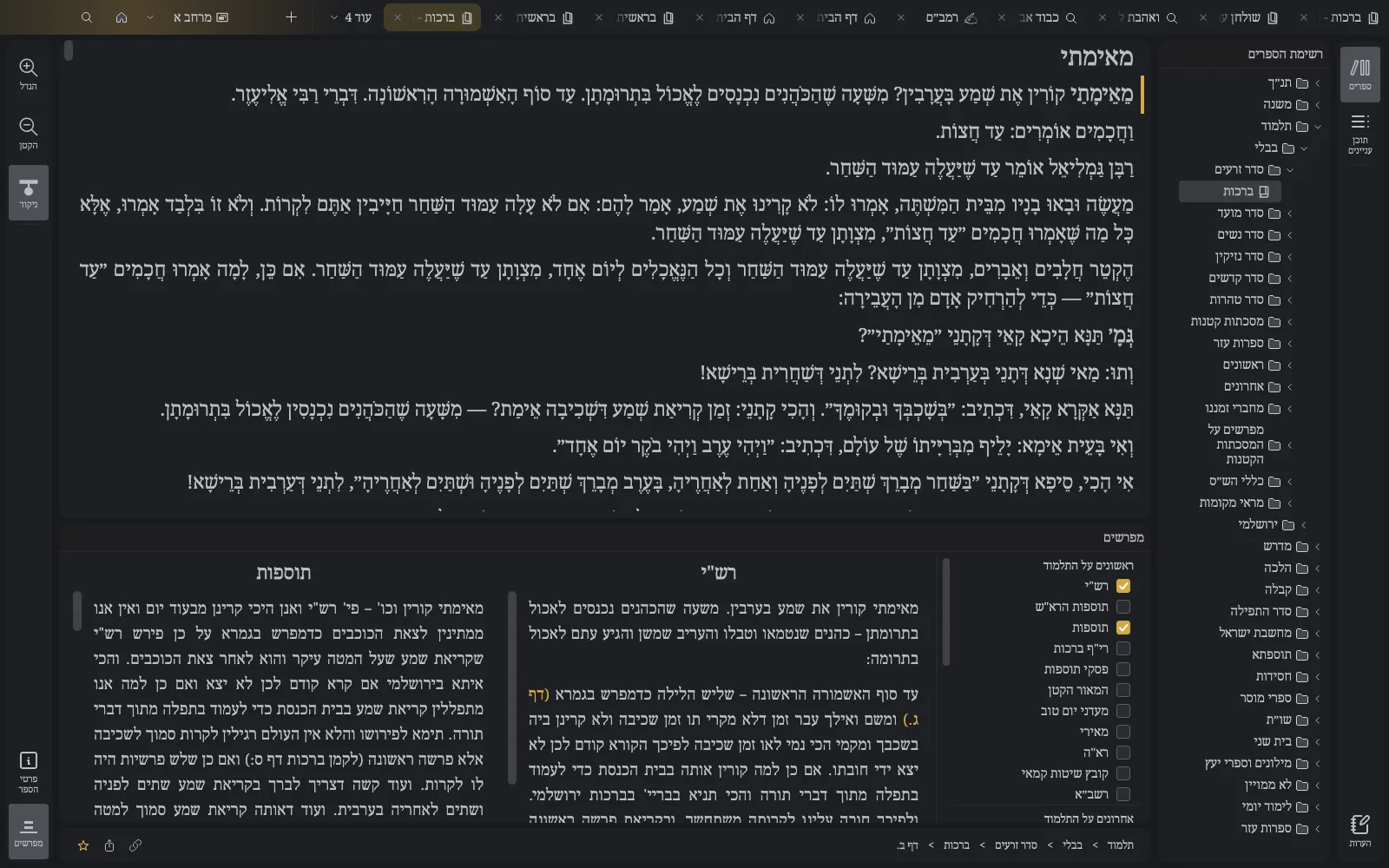
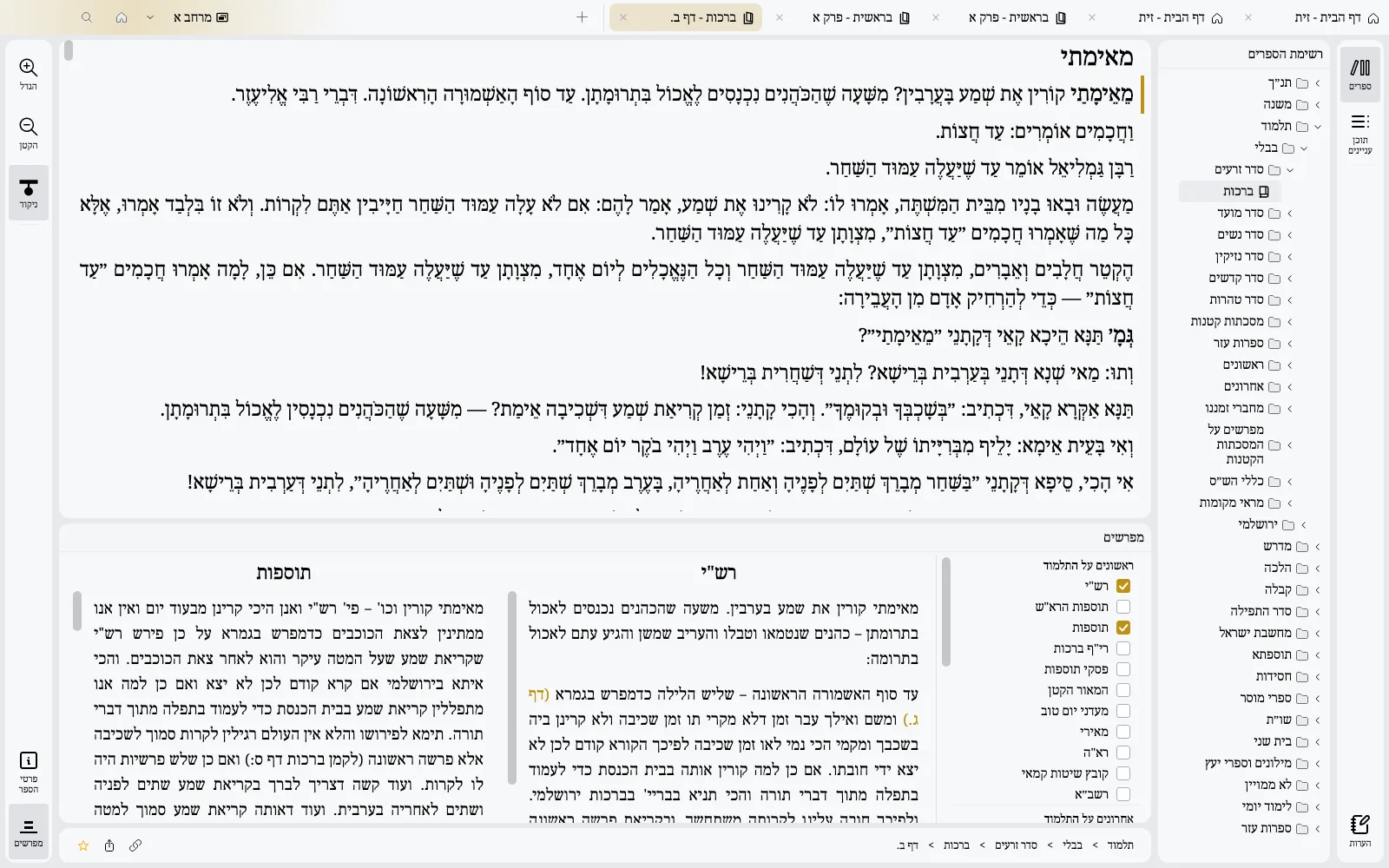 LightDark
The sources of a passage open beside it, and their book in one click
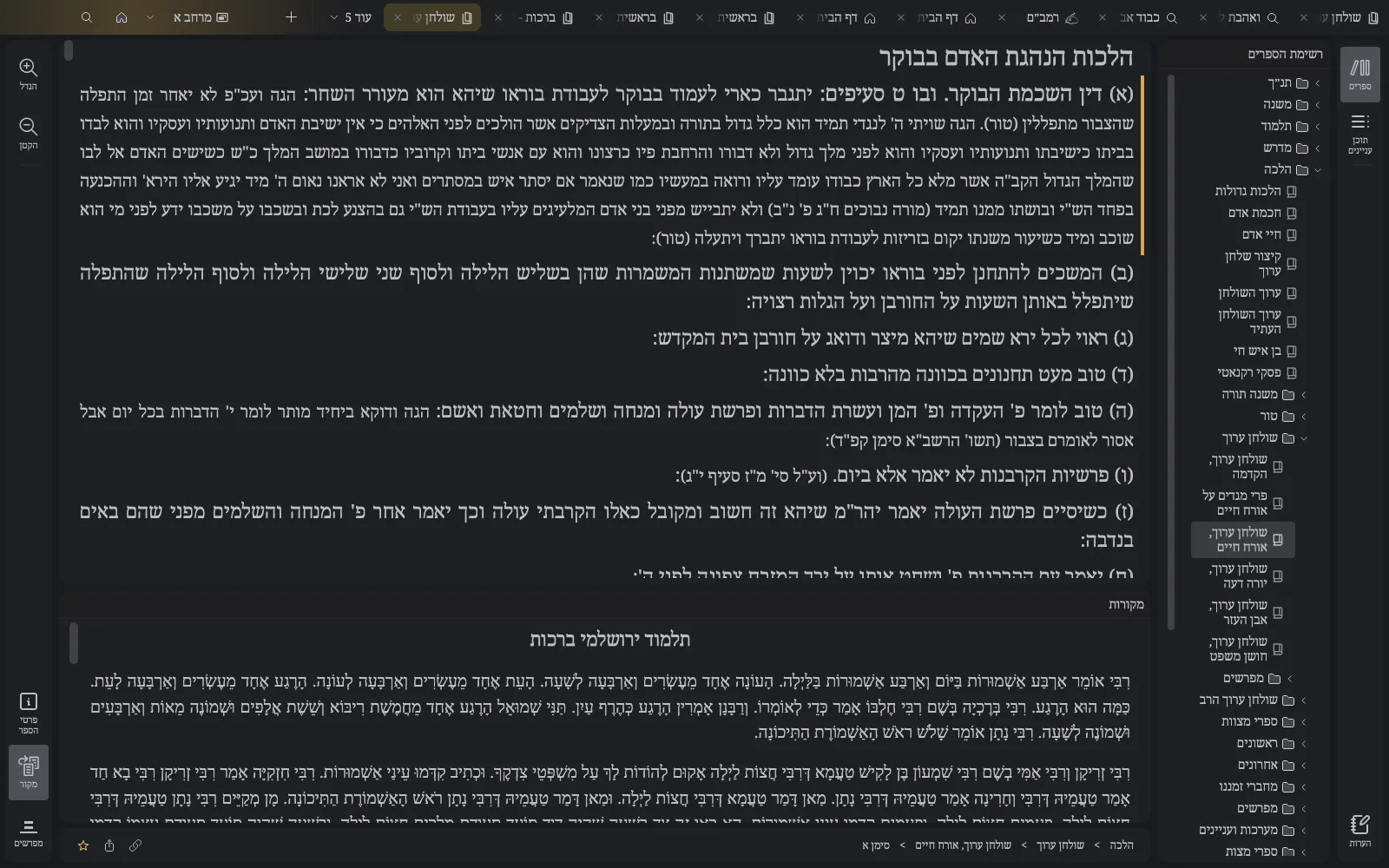
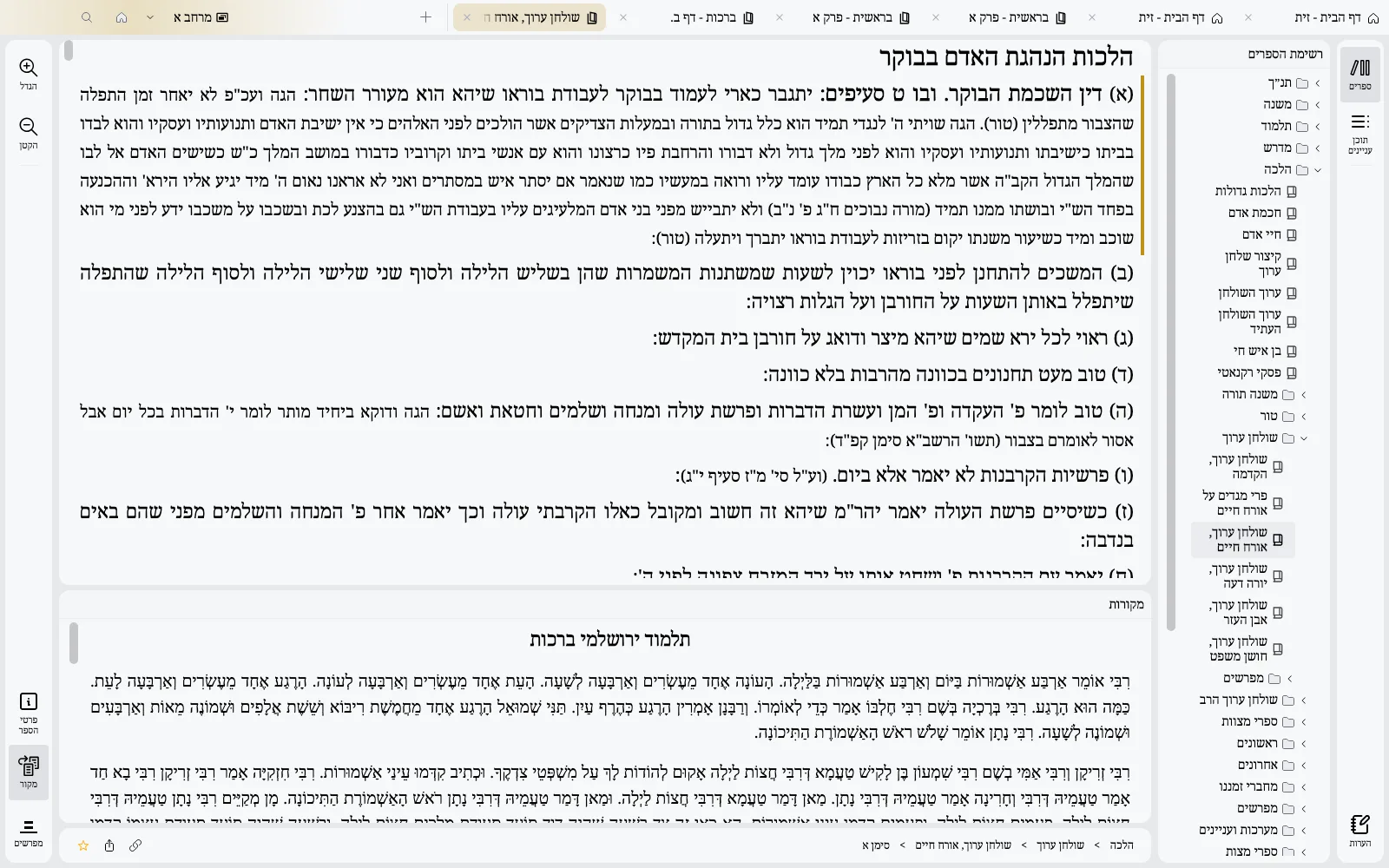 LightDark
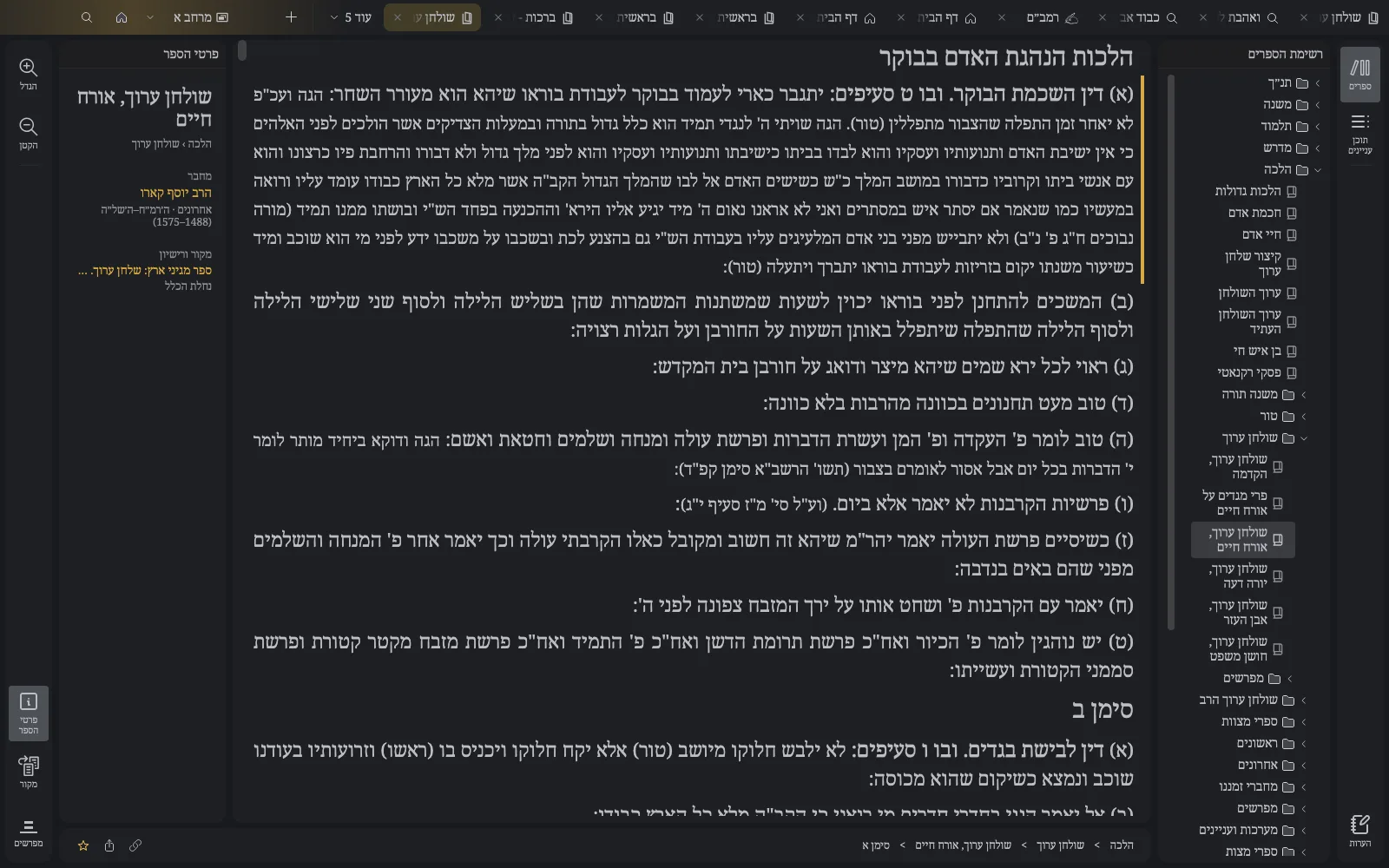
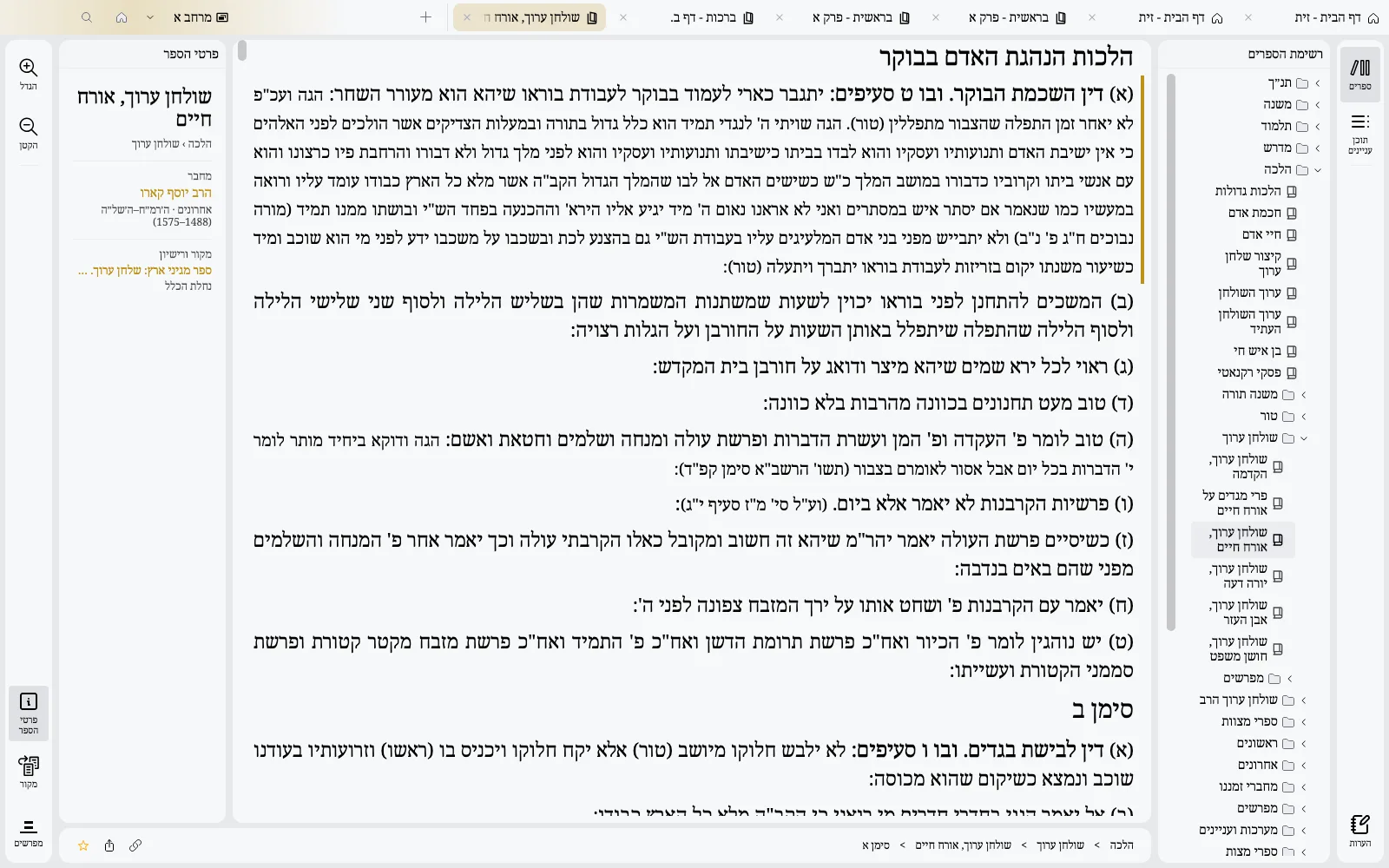
Author, era, edition and license of every book, at a glance
 LightDark
An exceptional search engine
One smart bar for everything: books, authors, references and text. Type and go straight to the right place.
Powered by Lucene and by Zayit's own embedding model
Type a reference like "חולין יב" or "בראשית א ג" and land on it
Books by name or acronym, authors with their page, all from the same bar
Semantic search: find a passage by its meaning, not only its words
Even without vocalization, from a partial word or an approximate spelling
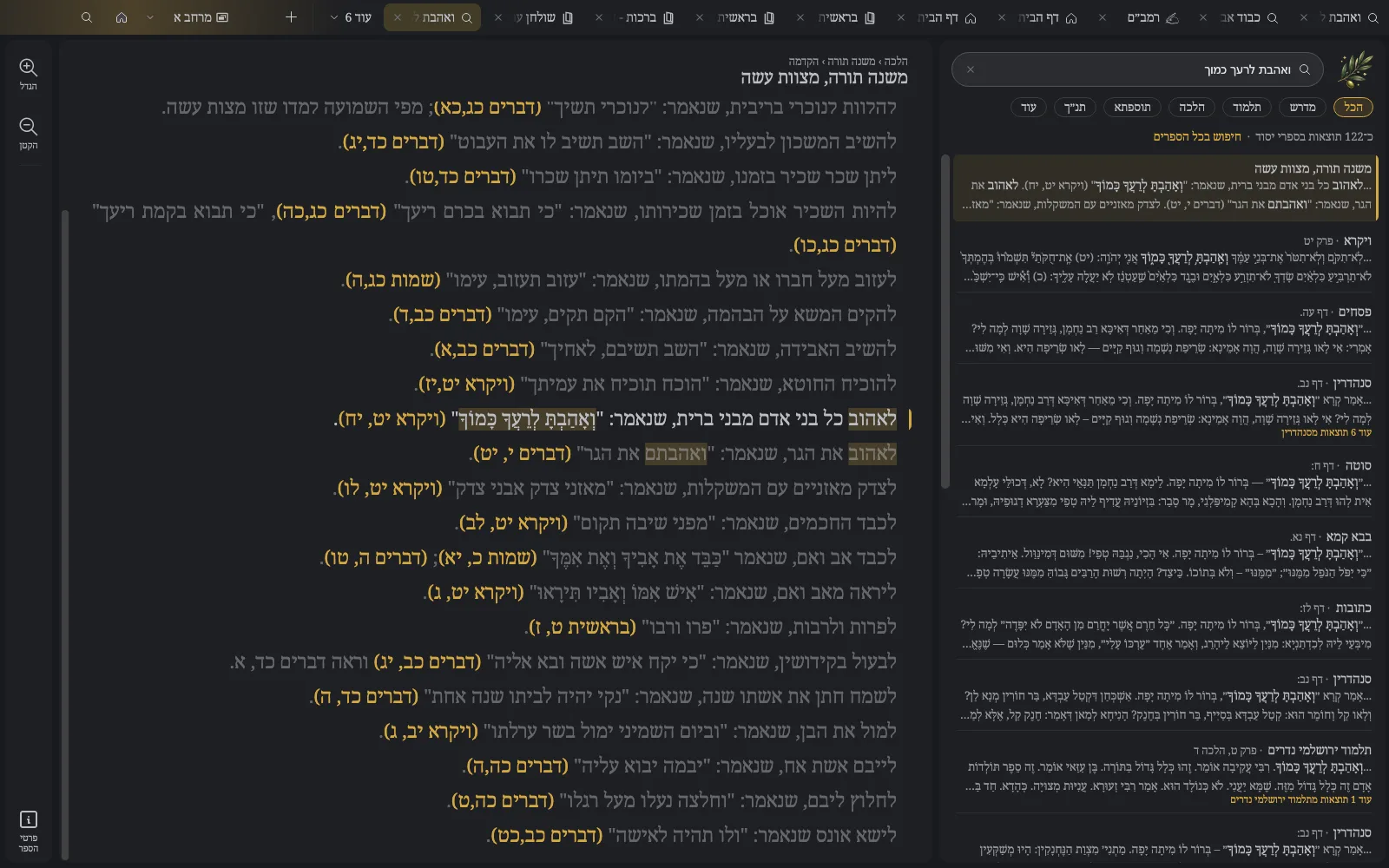
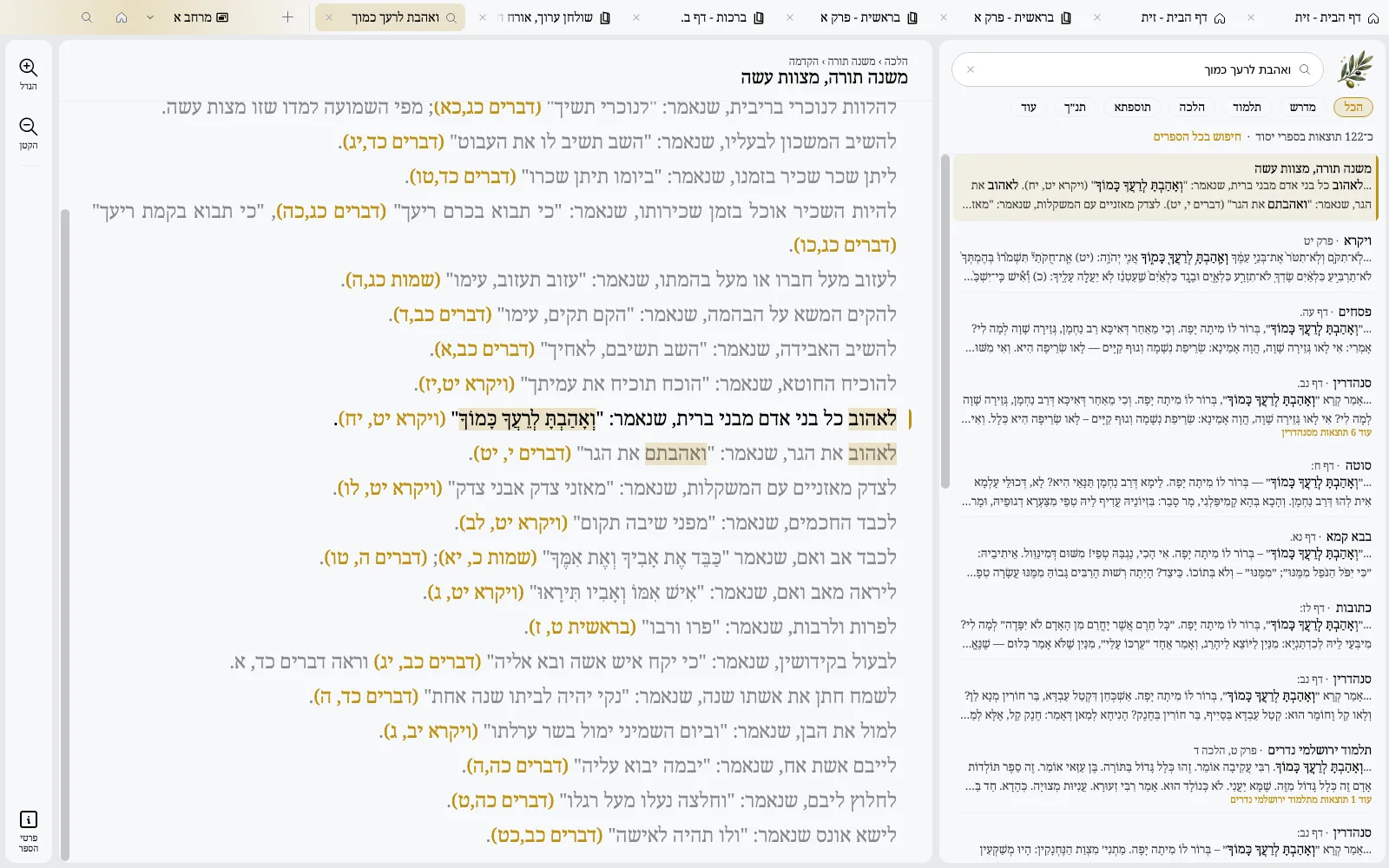
Clean results by category, each with its passage read in context
Find in the whole book, like Ctrl+F, in an instant
Results you can read
The passage in its context beside the list. A click opens the book right there.
 LightDark
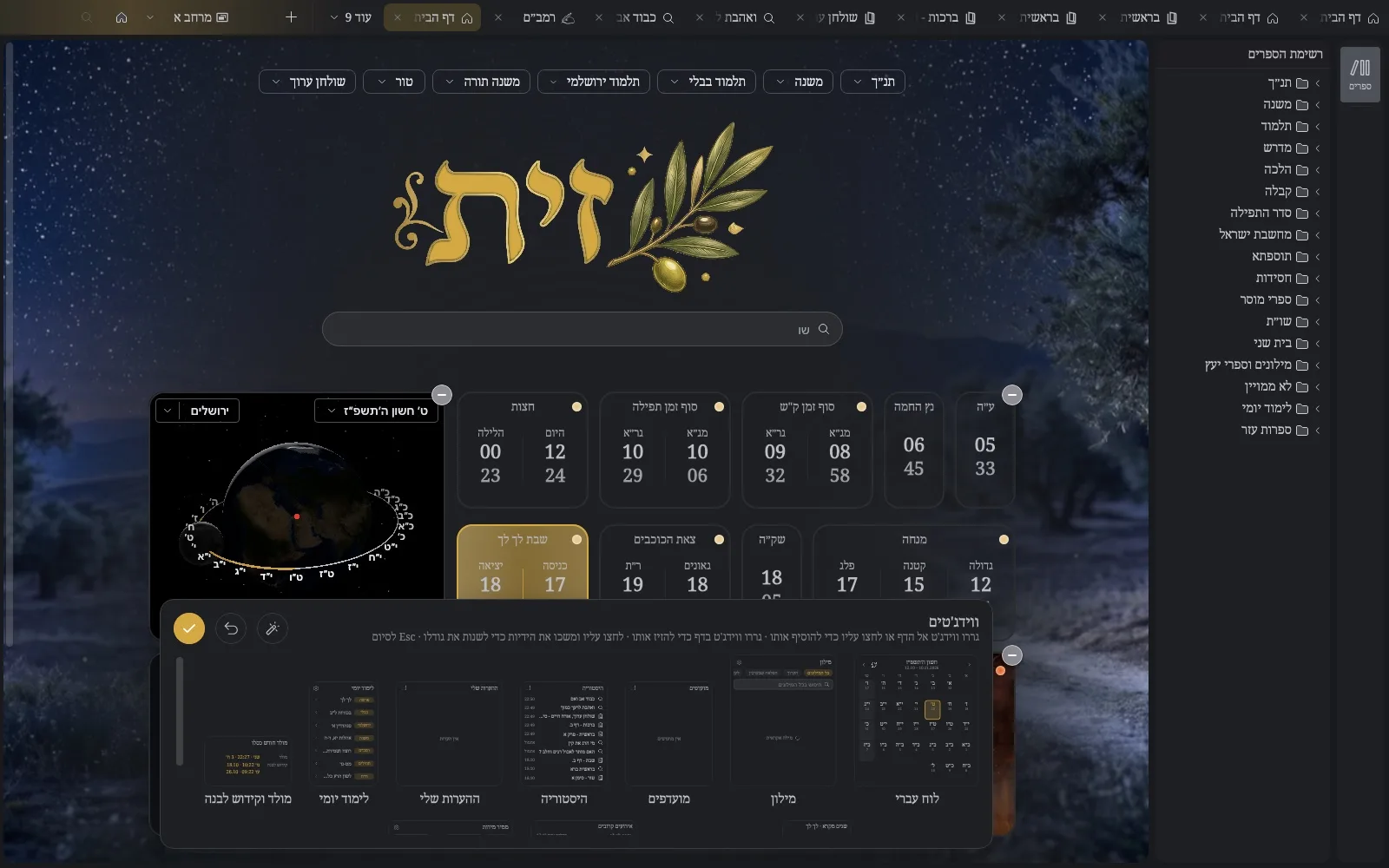
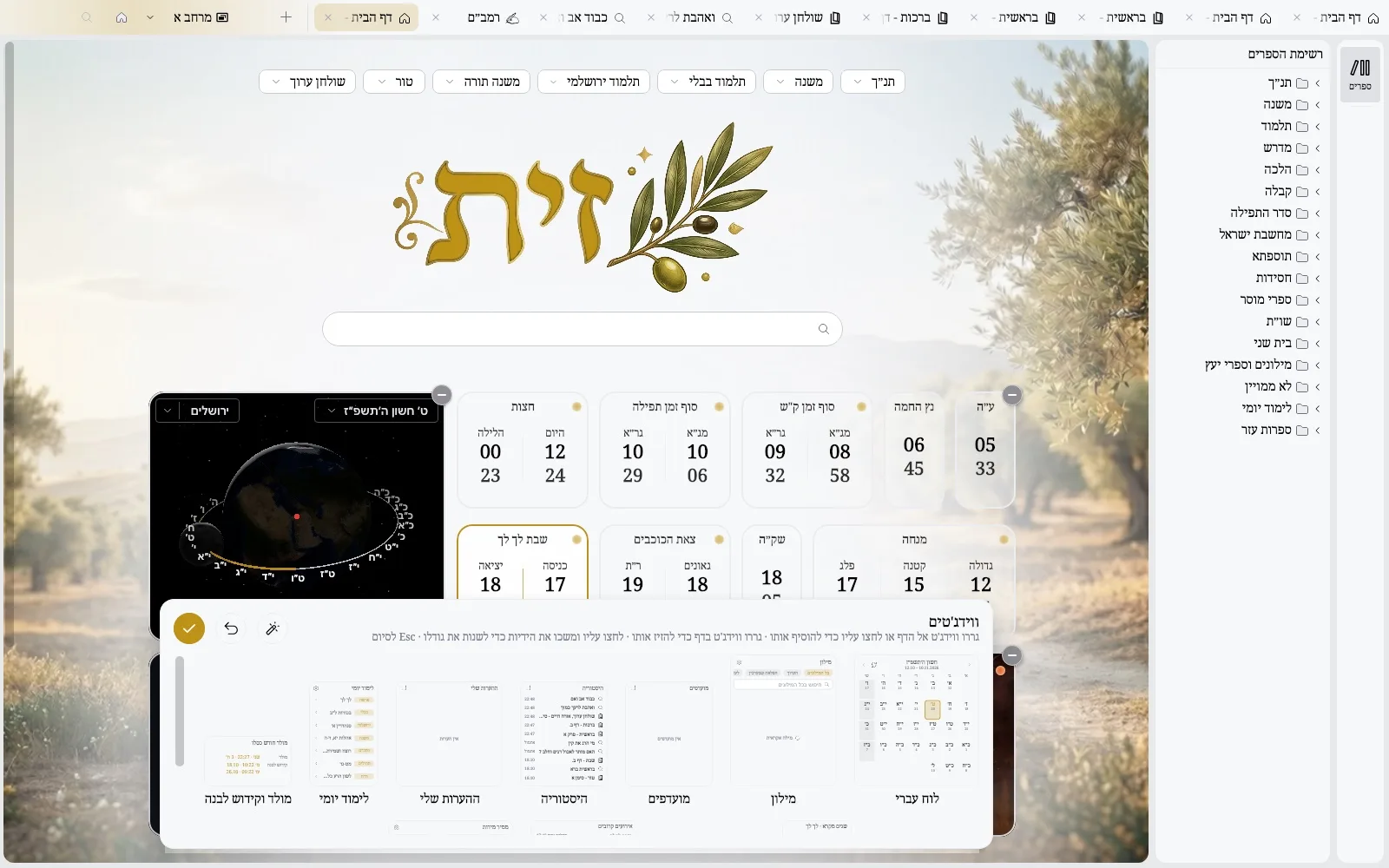
Your day, at a glance
Arrange your home page with widgets, the way you arrange your phone: drag them, resize them, pick them from a gallery.
 LightDark
More than a library
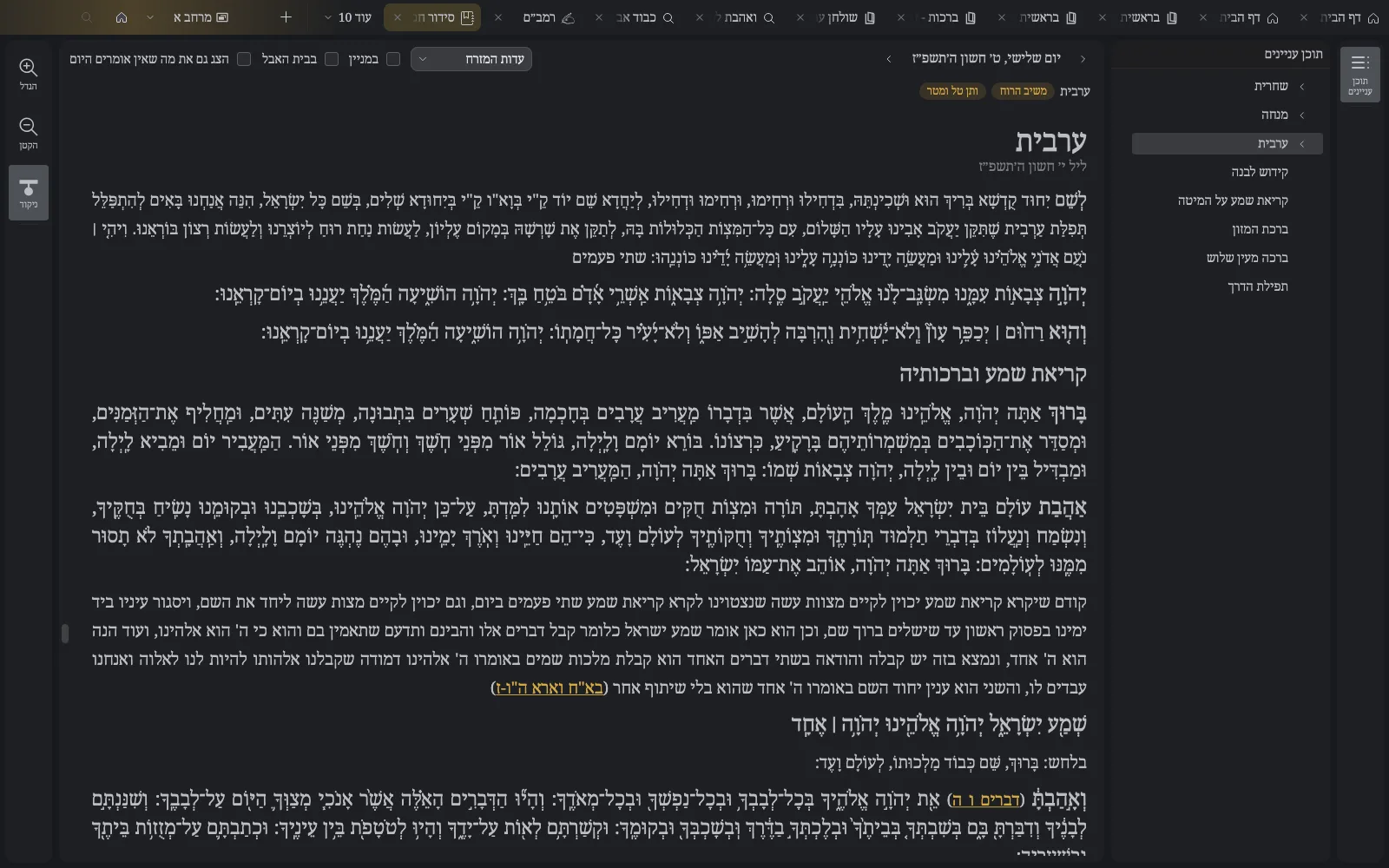
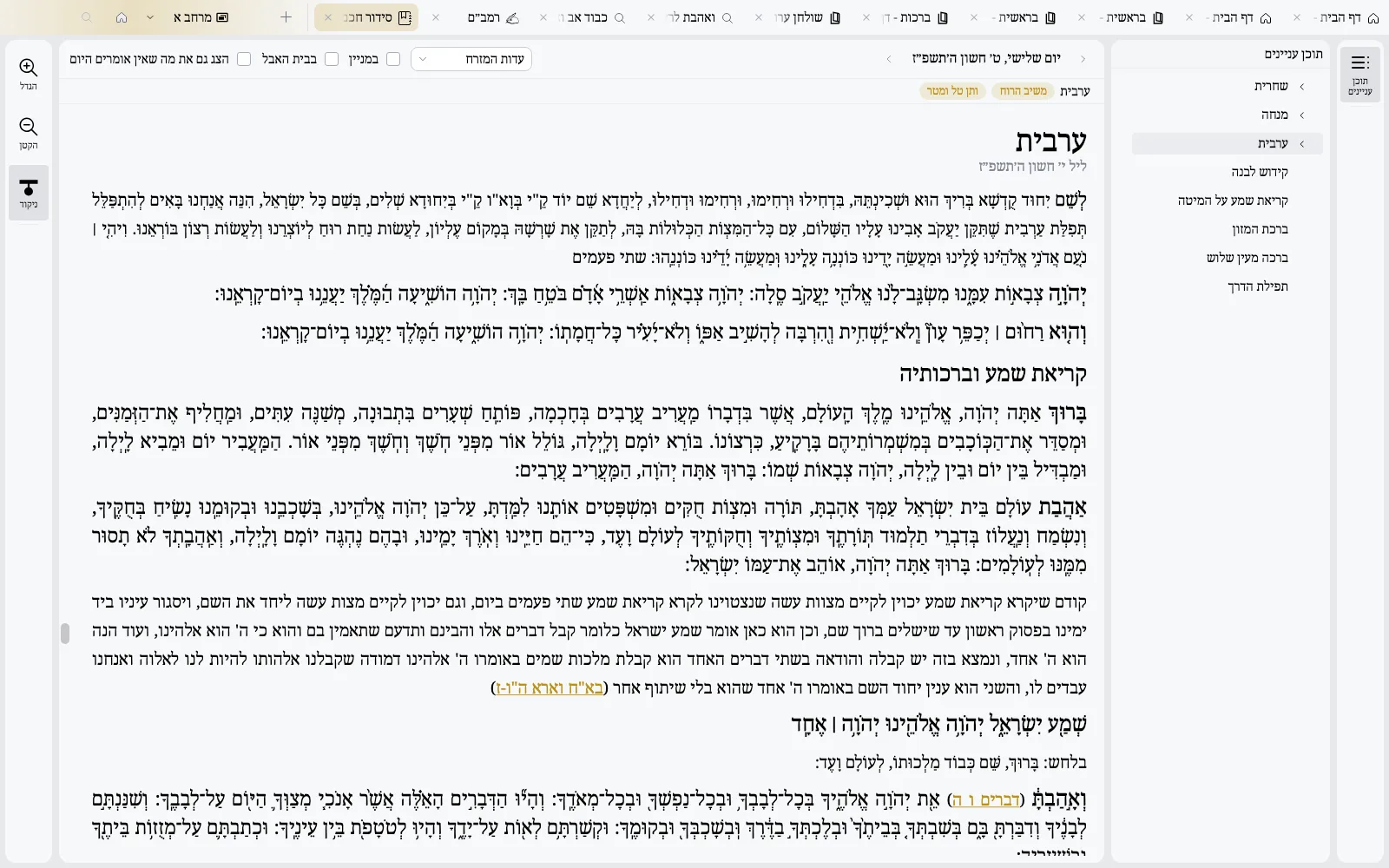
Zayit walks with you through the day: in prayer, in the weekly parasha, and in the lives of the sages.
Every day's tefilot, complete, after your nusach and your place
 LightDark
Each verse twice, then its targum: the weekly parasha, ready to read
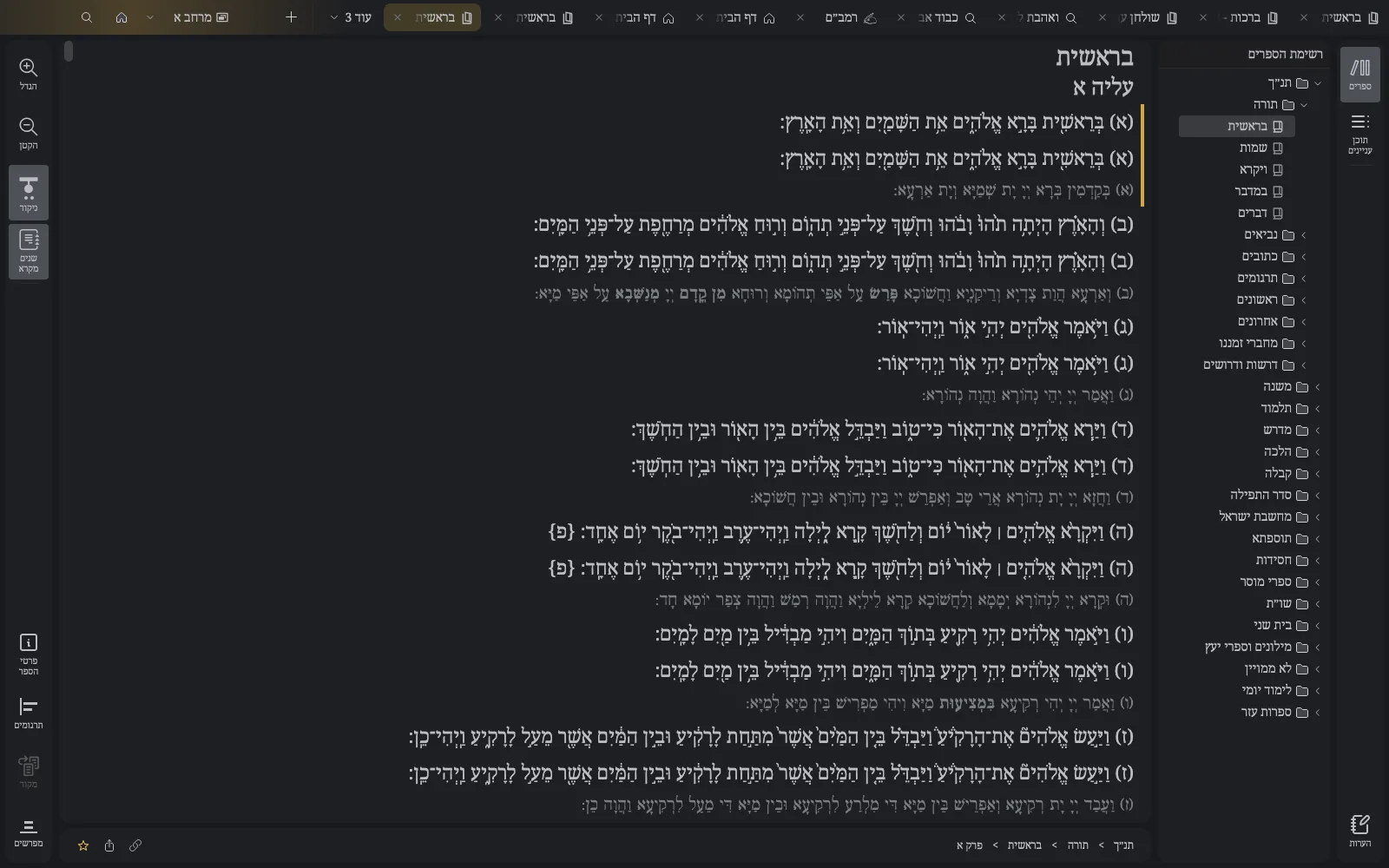
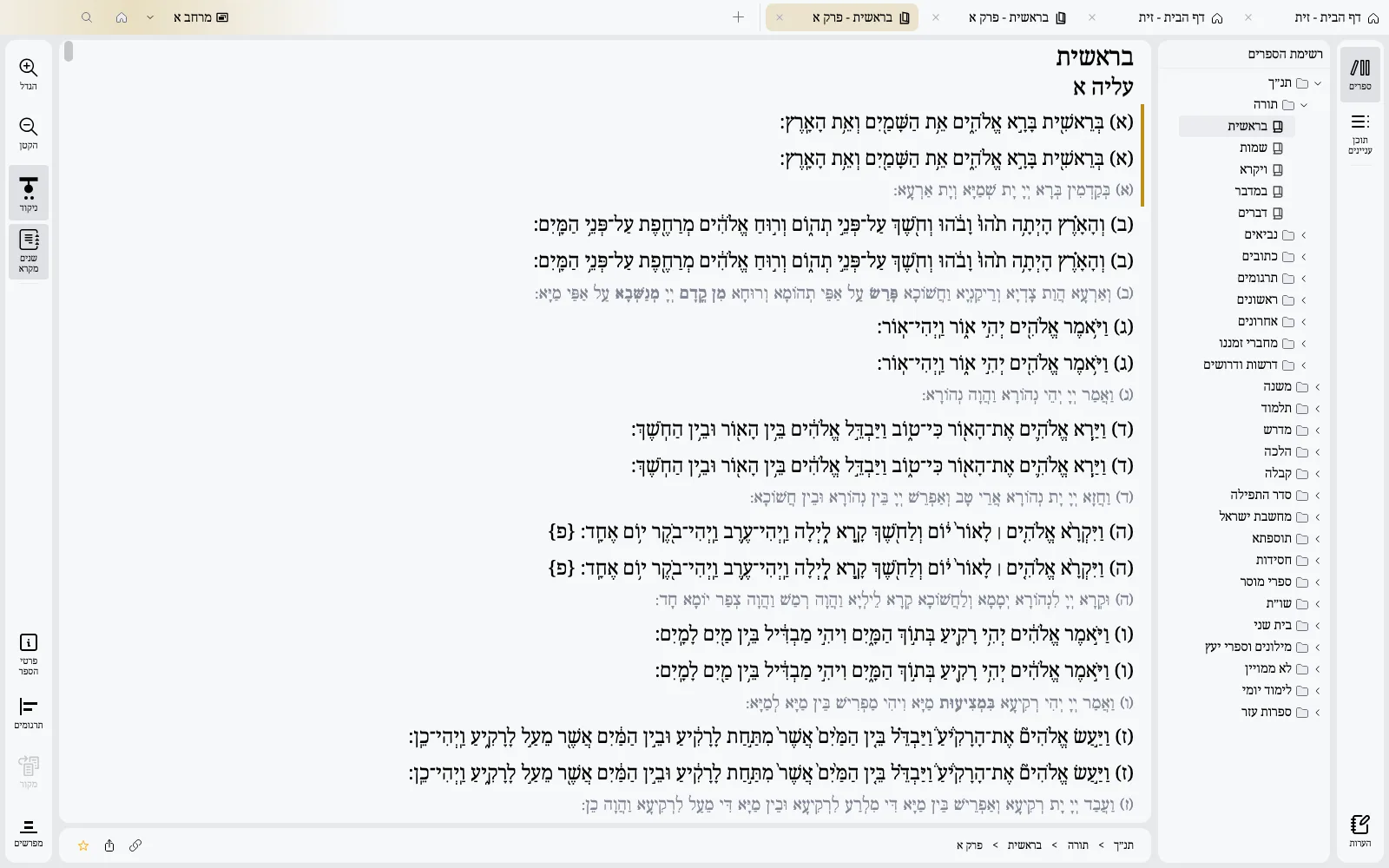 LightDark
An encyclopedia-style page for each author, with their era, names and all their books
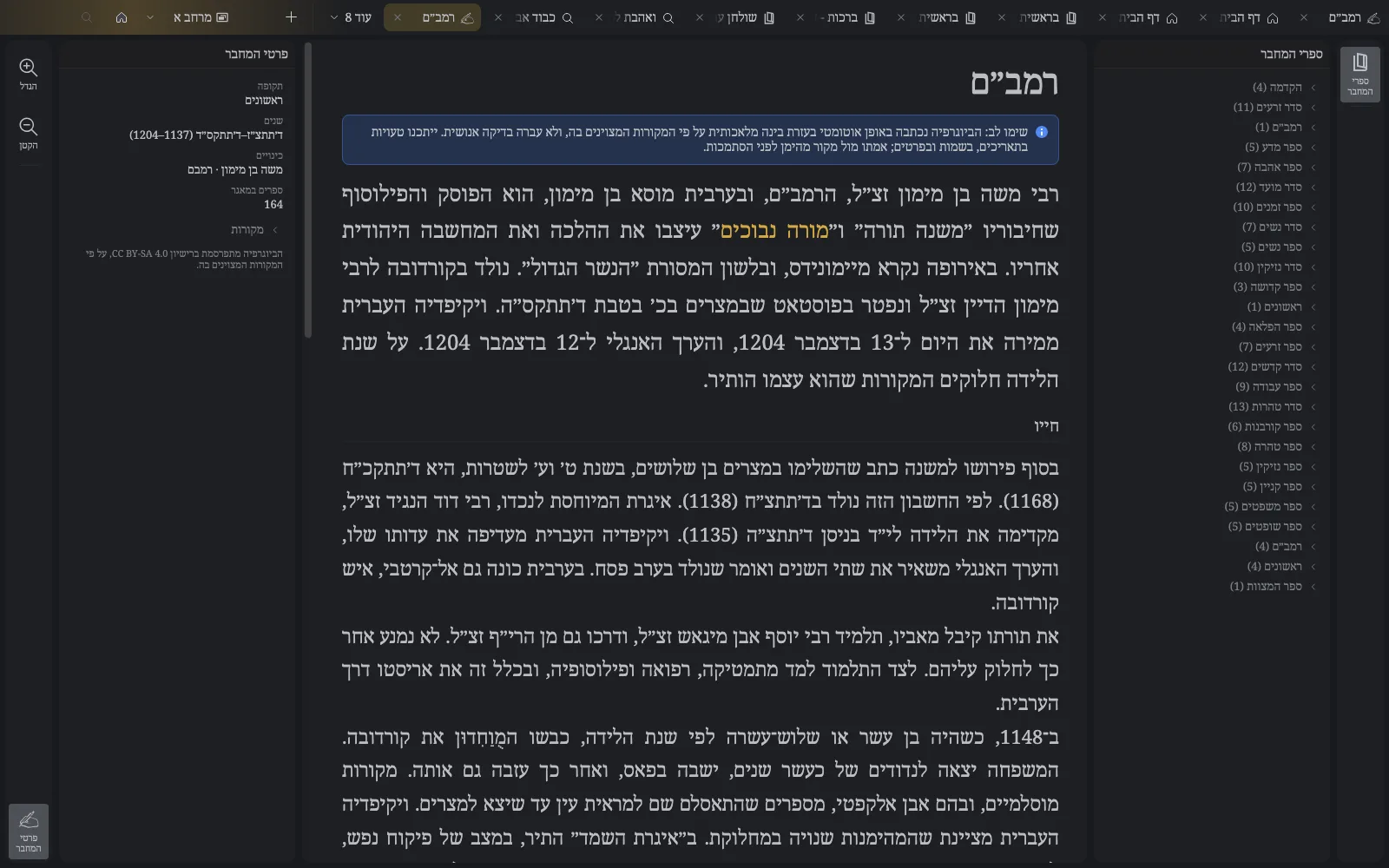
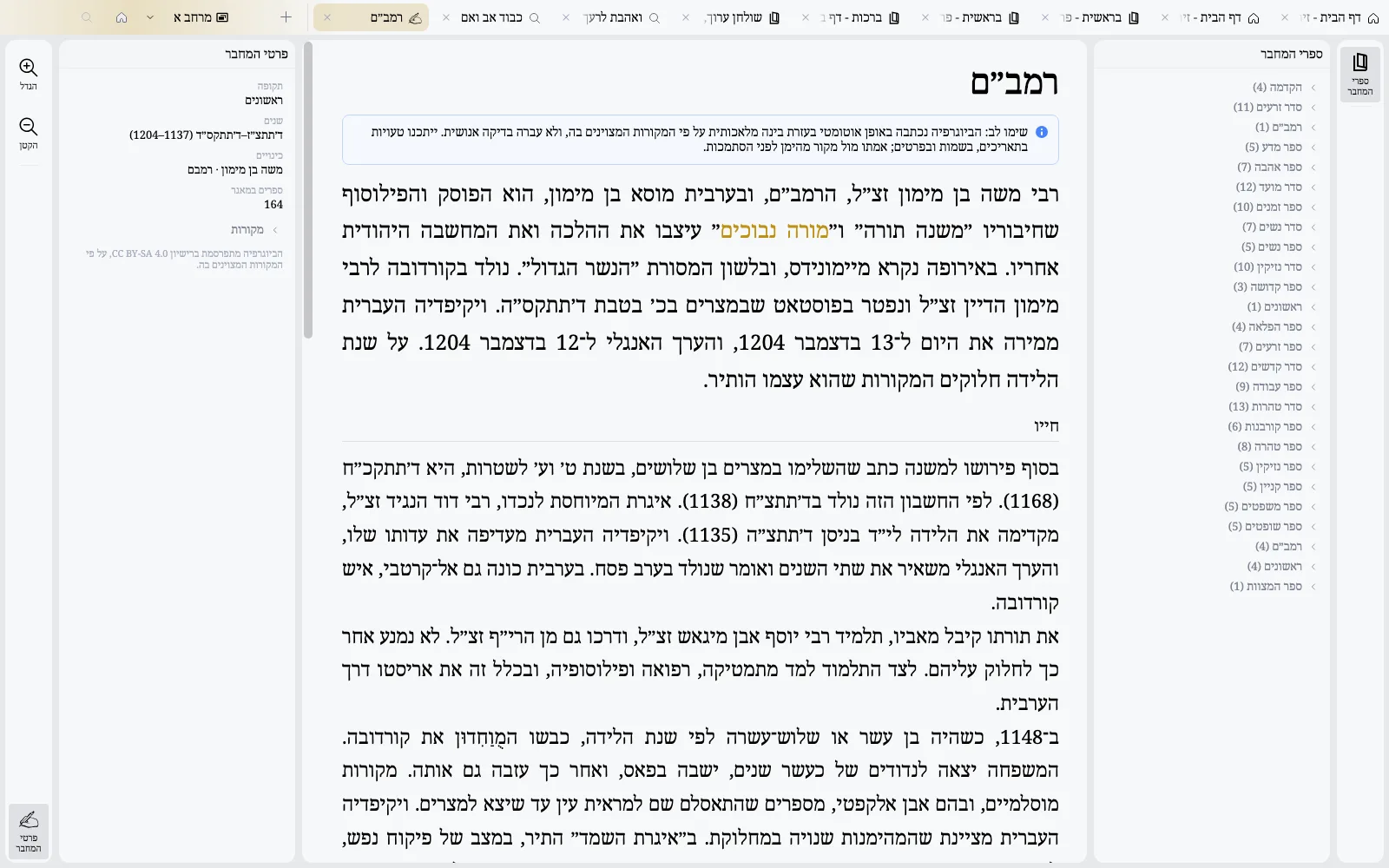 LightDark
What Zayit lets you do
Find a passage in seconds, by its words or its meaning
Explore a library by book and table of contents
Search inside a book to prepare a lesson or review
Show commentaries and translations side by side
Tabs, windows and virtual desktops, like Chrome: drag a tab out, pin it, find it again
Bookmarks in folders and a full visit history
Highlight words and add your notes, right on the text
Copy a clean excerpt with its source, or share the exact place
Back up your notes and settings to Google Drive
Automatic updates, the library included
Made for the keyboard: Ctrl+F, Ctrl+Shift+T, Alt+Home and more
Light and dark themes, your accent color, the fonts you like
Our Promise
Lightning fast
Exceptionally fast, even on old computers. Zayit is optimized to run smoothly on any machine, so you can focus on study, not on waiting.
Free forever
Zayit is free and will remain free. Always. This is a commitment, not a marketing promise.
7,800+ books
A vast library of Jewish texts at your fingertips. Torah, Talmud, Halacha, Midrash, commentaries, and much more.
100% Offline
No internet required. Once installed, Zayit works completely offline. Your study is never interrupted.
Zayit aims for quality and consistency: no gimmicks, no noise. Like a digital study desk, everything is there to move forward. Every detail is designed for natural, respectful study. Built to be fast, light, almost magical, it runs even on low-powered machines.
Download Zayit
Available for macOS, Windows, and Linux. Free, with an open source core.
Available on all major platforms